Firmware is software that is embedded in a hardware device’s non-volatile memory and provides low-level control of that specific piece of hardware. Software in the wider sense is any set of instructions that guides a computing device, generally grouped into operating systems and applications that reside on a storage drive and are written in languages like Python, Java, or SQL. So all firmware is software, but not all software is firmware: a PC’s BIOS or UEFI, a router’s system image, and the program in a microcontroller are firmware, while Windows, a web browser, and a spreadsheet are not.
The Difference Between Firmware and Software
The term “firmware” was coined by American scientist Ascher Opler in a January 1967 Datamation article titled “Fourth-Generation Software,” describing microprograms that sit “in-between hardware and software.” Opler’s original firmware referred to microcode in a writable control store, not CPU machine instructions; it sat below the instruction-set level. Firmware is sometimes called “software for hardware” because it delivers the instructions for how a device should start up, interact with other devices, and execute input/output tasks.
| Attribute | Firmware | Software (OS & Applications) |
|---|---|---|
| Primary Purpose | Controls hardware functions | Performs user-facing specific tasks and guides key computing operations |
| Storage Location | Non-volatile memory (ROM, EPROM, EEPROM, flash memory) | Storage drive (HDD, SSD) |
| Languages Used | Typically C and assembly | Higher-level languages (C++, Python, Java, SQL) |
| Typical Footprint | Single-purpose or limited-purpose (small size; e.g., 8 KB mask ROM up to 32 MB or 64 MB ROM) | Often very large (an OS like Windows uses tens of GB) |
| User Interface | Usually no direct user interface; not designed to be user-friendly | Direct user interaction via graphical user interface (GUI) or commands |
| Update Mechanism | Updated by manufacturer or vendor-supplied tools; less frequent and more complex | Updated through app stores, package managers, or automatic updates; easy to install or modify |
Where Firmware Lives: Hardware Components and Non-Volatile Memory
Firmware is stored in non-volatile memory (read-only memory (ROM), EPROM, EEPROM, or flash memory), so it persists when the device is powered off. Changing firmware stored in mask ROM requires physically replacing the memory chip. Modern programmable firmware is most commonly stored in SPI flash memory chips (serial peripheral interface flash) that can be electrically erased and rewritten in blocks via a process called “flashing.”
On desktop motherboards, the firmware chip is usually a small 8-pin SOIC package near the CMOS battery, chipset, or lower edge of the board, labeled with manufacturer names such as Winbond, Macronix, or GigaDevice.
Firmware sizes vary depending on the platform:
- Original IBM PC BIOS: Contained in an 8 KB mask ROM chip.
- Modern UEFI Firmware: Can reach sizes up to 32 MB, and some MSI X870(E) boards ship with 64 MB ROM chips.
- ESP32 Microcontrollers: Typically have flash sizes of 4 MB to 16 MB for firmware storage.
How Firmware and Software Work Together with Hardware
When powering on a computer system, the hardware proceeds through sequential phases before the operating system loads:
- Management Engine / Platform Security Processor Boot (~100 ms): A dedicated coprocessor (Intel ME or AMD PSP) boots its own environment before the main CPU starts executing.
- CPU Microcode Load (~ms): The processor loads its initial microcode update.
- UEFI Early Initialization (~1 s): The firmware performs initial platform setup.
- Power-On Self-Test (POST, ~1–10 s): Firmware checks all hardware components to ensure they operate properly before the OS loads.
- Boot Device Selection (~ms): Firmware queries configured storage devices to find a bootloader.
- Bootloader Execution (~ms): A bootloader (such as GRUB or U-Boot) finds and loads another program, usually an OS kernel, and transfers execution to it. On a legacy BIOS system, the first-stage boot code must fit in the first 446 bytes of the Master Boot Record (the 512-byte first sector of the disk), just enough to find and load a bigger boot stage. UEFI firmware understands the GUID Partition Table and FAT32 filesystem directly, executing regular
.efiexecutable files (such asgrubx64.efi) without the cramped stage-1/stage-2 chain. - Kernel Initialization (~1–3 s): The operating system kernel initializes.
- User-Space Initialization (~1–10 s): User-space system software and services initialize.
Firmware vs Embedded Software, Drivers, and Operating Systems
In the embedded stack, firmware sits closest to the hardware. Above firmware come device drivers, then the operating system or RTOS, then middleware, and finally application software.
Device drivers provide a software interface to hardware, allowing the operating system to interact with peripherals without knowing the hardware’s internal implementation. An operating system (such as Windows, Linux, or Android) manages hardware resources, provides a platform for applications, and handles multitasking, memory management, file systems, and user interfaces, tasks that firmware does not handle. In embedded designs, a Board Support Package (BSP) provides a layer of hardware-specific drivers and routines that allows an operating system (typically an RTOS) to function on a particular hardware platform.
The distinction across these layers includes:
- Firmware: Handles hardware initialization and low-level control.
- Embedded Software: Performs higher-level functions on a microcontroller, such as logic and control algorithms.
- RTOS Implementations: Real-time operating systems like FreeRTOS, Zephyr, and Mbed OS play the role of both kernel and OS in embedded systems, building a custom image specific to the target hardware and replacing the need for a separate firmware layer in some designs.
- Minimal Architectures: In simple embedded devices (such as a microwave or digital watch), there may be no OS at all; the firmware substitutes for the operating system entirely.
Flashing and Provisioning: Protocols for Updating Firmware
Programmable firmware can be rewritten using flashing routines and dedicated protocols:
- Over-The-Air (OTA) Updates: Allow devices to receive and install new firmware wirelessly, often while the system is still running on the inactive partition. For example, the nRF Connect SDK supports firmware updates through wired connections (UART, USB) and OTA methods including Bluetooth Low Energy, LTE, and Wi-Fi.
- Device Firmware Update (DFU): A USB-based protocol for updating firmware on microcontrollers without a debug probe. Many STM32 microcontrollers, for example, include a factory-programmed bootloader that accepts new firmware over USB DFU.
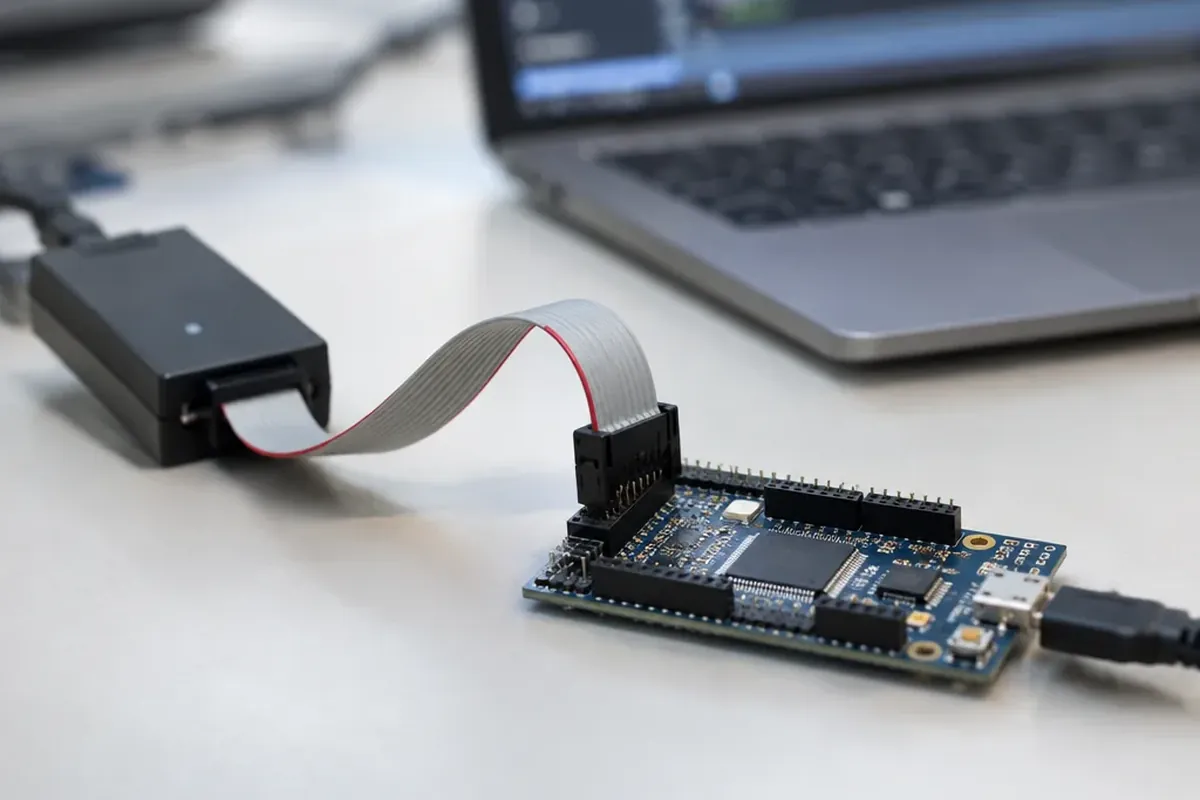
- JTAG (Joint Test Action Group): A standardized hardware interface originally designed for board-level testing, later adapted for debugging and flashing firmware across multiple devices in a scan chain.
- Serial Wire Debug (SWD): ARM’s two-wire alternative to JTAG using SWDIO and SWCLK signals, designed for debugging and flashing ARM-based microcontrollers with fewer pins. During flashing via SWD, the debugger halts the CPU, loads a small helper program into RAM, and transfers firmware data in chunks to the microcontroller’s flash memory.
Why Firmware Updates Are Riskier: Bricking and Rollback Recovery
When an application update fails, the operating system is still running and can retry or reinstall. A firmware update replaces the code the device needs to start at all, so a failed or corrupted firmware update can “brick” a device: with its firmware deleted or damaged, the device is inoperable and often cannot even run the updater again. For motherboards, failed BIOS updates can brick the board, though many modern motherboards include dual BIOS chips or USB BIOS recovery features to recover.
To prevent bricking, modern systems implement rollback and partition strategies:
- Android A/B Updates: Introduced in Android 7.0, seamless updates use two sets of partitions called slots (slot A and slot B). The system runs from one slot while updates apply to the other. If the new slot fails to boot after seven attempts, the bootloader marks it as unbootable and automatically reverts to the old slot.
- MCUboot: Used by Zephyr and Apache Mynewt and also available for Espressif chips, MCUboot implements a “test/confirm/revert” state machine where a new firmware image boots in test mode and must explicitly confirm itself via
boot_write_img_confirmed(). If the device resets before confirmation, the old image is swapped back. - ESP-IDF Rollback: Safe OTA updates on ESP32 require at least two partition slots (
ota_0andota_1) plus an OTA data partition. The state machine moves fromESP_OTA_IMG_NEWtoESP_OTA_IMG_PENDING_VERIFY. If unconfirmed after reboot, it becomesESP_OTA_IMG_ABORTED, preventing that slot from booting again. - Anti-Rollback Protection: In frameworks like ESP-IDF, security versions can be stored in eFuse. If a new firmware has a lower security version than the chip’s eFuse, the update is erased and refused.
- U-Boot Bootloader: Implements a try-counter mechanism where each boot decrements a slot counter; when the counter reaches 0, the slot is skipped and the bootloader falls back to the other slot.
Common Myths and the Blurred Line in Modern Computing
Myth 1: Firmware Is Static and Never Changes
Programmable flash memory allows firmware to be updated regularly. An SSD is essentially a small computer with its own ARM or RISC-V controller running firmware that handles NAND management, wear leveling, error correction, and NVMe command processing.
Myth 2: A Computer Only Runs a Single Firmware Program
A typical modern laptop contains eight to twelve programmable processors, each running its own firmware, and only one of which the main OS controls:
- Central Processing Unit (CPU)
- Graphics Processing Unit (GPU)
- Intel Management Engine (ME) or AMD Platform Security Processor (PSP)
- Embedded controller
- WiFi card
- Solid-State Drive (SSD) controller
- Thunderbolt controller
- Trackpad
- Trusted Platform Module (TPM)
The Management Engine (Intel ME) or Platform Security Processor (AMD PSP) runs its own operating system separate from the main OS, booting before the main CPU even starts.
Myth 3: Firmware and Operating Systems Never Overlap
The boundary between firmware and operating systems is blurring. On some platforms, such as Android and ChromeOS devices, the operating system takes over hardware initialization functions traditionally done by firmware. In devices like smart thermostats, firmware may handle everything from hardware initialization to user-facing logic without a traditional OS, making the firmware itself the entire software stack.
UEFI firmware in turn resembles a small operating system: it includes a POSIX-like environment, a shell, FAT32 filesystem access, a network stack, and pre-OS drivers, and it runs before the primary OS loads. Some ASUS notebooks have also shipped with Splashtop OS embedded directly in NAND flash alongside the BIOS firmware, allowing instant-on access without booting the main OS.
Frequently Asked Questions
What is an example of firmware?
Examples include motherboard BIOS and UEFI, keyboard controllers scanning key presses, smart thermostat logic, the firmware of a digital camera, automotive Electronic Control Units (ECUs) optimizing engine performance and fuel efficiency, SSD controllers handling NAND flash management, and router firmware (such as DD-WRT, OpenWrt, or Tomato) governing connectivity, security, and privacy.
What is the difference between firmware and an operating system?
Firmware provides low-level control of specific hardware, checks components during POST, and prepares the platform to start up. An operating system (such as Windows, Linux, or Android) manages hardware resources, provides a platform for applications, and handles multitasking, memory management, file systems, and user interfaces, tasks that firmware does not handle. On simple devices such as a microwave or digital watch there is no OS, and the firmware does the whole job.
Is Windows an operating system or firmware?
Microsoft Windows is an operating system, not firmware. It is stored on a storage drive (HDD or SSD) and uses tens of gigabytes. Windows runs on top of the PC’s firmware (BIOS/UEFI) and cannot function without the firmware completing hardware initialization first.
Is BIOS firmware or software?
BIOS is firmware, which is a subset of software tightly coupled to hardware. It is stored in a flash memory chip on the motherboard and provides the instructions required to initialize hardware components, run POST, and load the bootloader.
How does firmware differ from embedded software?
Firmware handles hardware initialization and low-level control. Embedded software performs higher-level functions on a microcontroller, such as logic and control algorithms. They complement each other in an embedded system.
Can firmware be updated, and what happens if an update fails?
Modern firmware stored in flash memory can be updated via vendor-supplied tools, USB Device Firmware Update (DFU), hardware debuggers (JTAG or SWD), or over-the-air (OTA). If an update fails or is corrupted, the device can be bricked. Recovery mechanisms include dual BIOS chips, USB BIOS recovery, A/B partition slots, and rollback state machines.